Arduino Bluetooth Car
A voice-controlled car with Arduino and Bluetooth capabilities, enhanced with obstacle detection and RFID scanning.
Explore Features
Project Overview
This project involves building a Bluetooth-controlled car using an Arduino Uno board, allowing voice commands via a Bluetooth module. The car is equipped with obstacle detection using ultrasonic sensors and additional modules for enhanced functionality.
The primary objectives of the project were:
- Designing and programming a car controlled via Bluetooth and voice commands.
- Integrating ultrasonic sensors for obstacle detection.
- Adding modules such as RFID scanners and LCD displays for extended features.
- Optimizing the Arduino code to control motors and sensors effectively.
Key Features
- Bluetooth Control: Integrated HC-06 Bluetooth module to receive and execute commands from a smartphone app.
- Obstacle Detection: Used an HC-SR04 ultrasonic sensor to detect obstacles and navigate safely.
- Motor Driver: Configured L298N motor driver to control the speed and direction of two DC motors.
- Voice Commands: Utilized a mobile app to translate voice commands into Bluetooth signals, controlling the car's movements.
- RFID Scanning: Added an RFID scanner module to read tags and implement secure access or identification features.
- LCD Display: Incorporated an LCD screen to display real-time information like direction, speed, and obstacles.
Gallery
Here are some images showcasing the Arduino Bluetooth Car project:
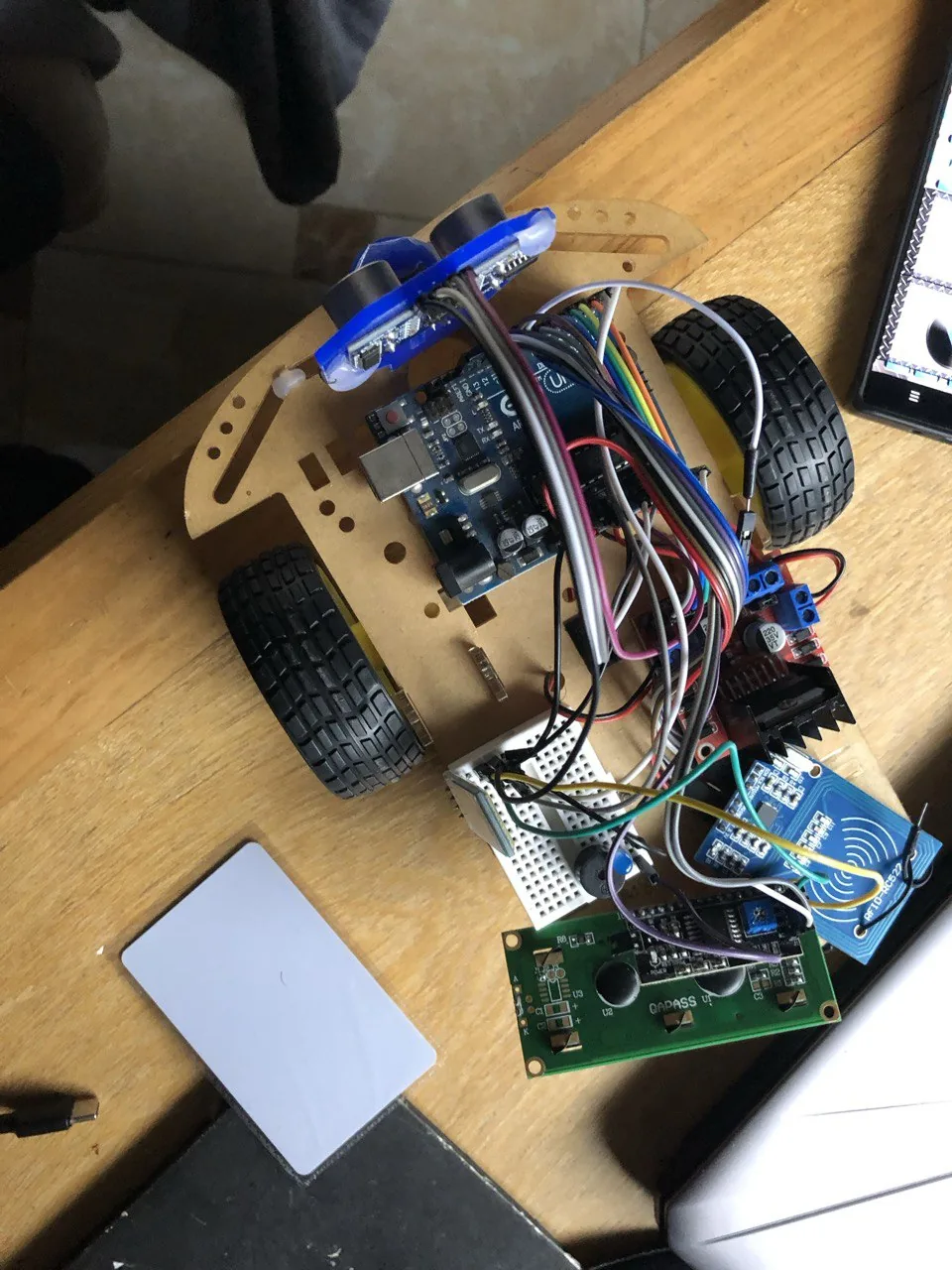
Car Assembly
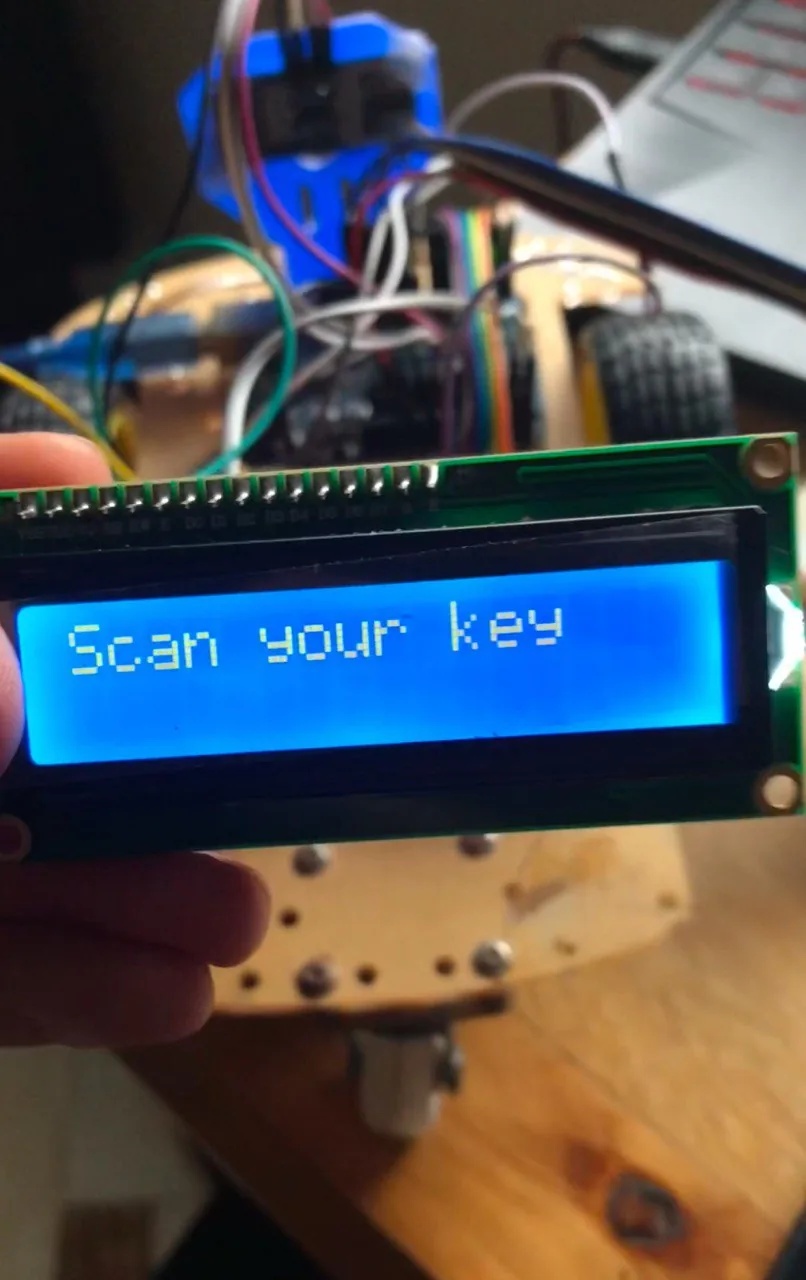
RFID still not scanned
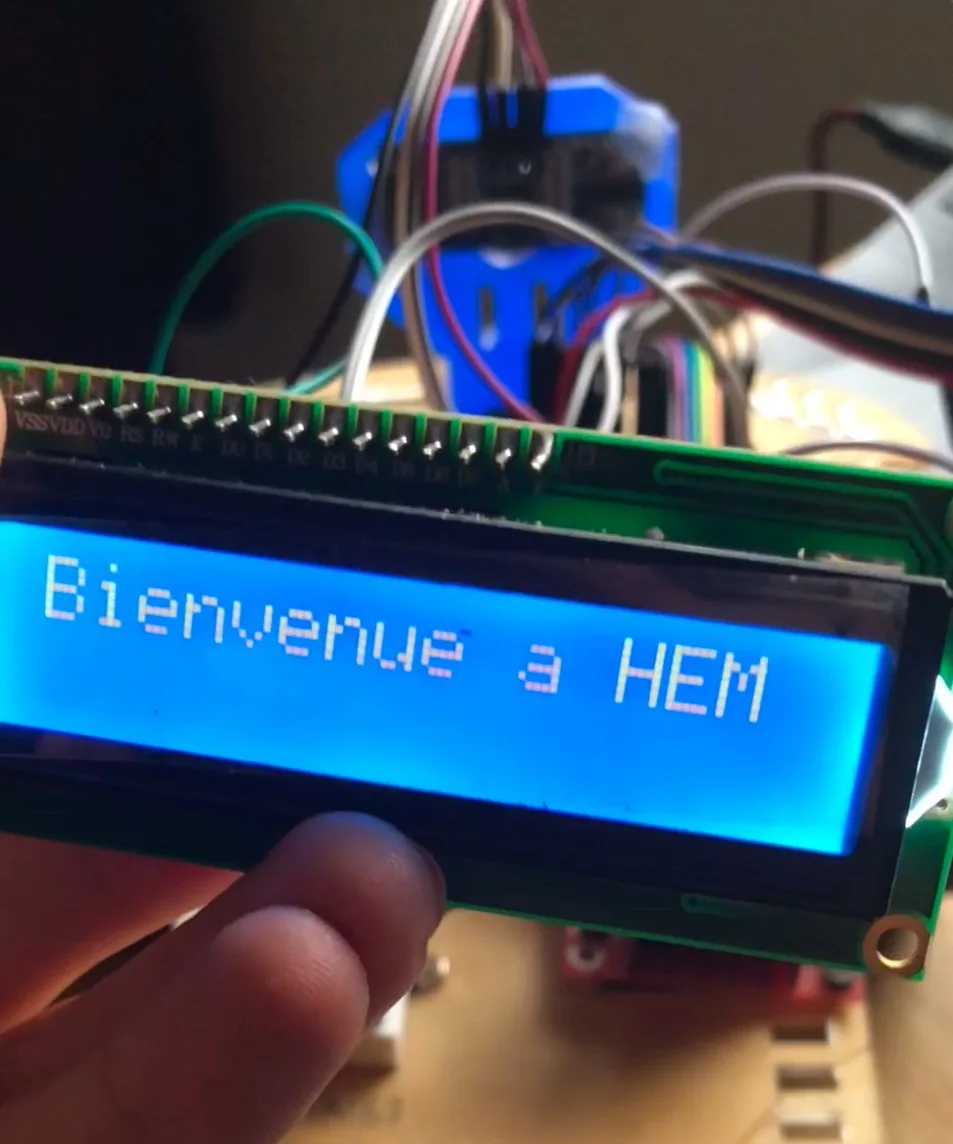
RFID scanned and the car ready to be used
Technical Details
The Arduino Bluetooth Car project demonstrates advanced Arduino programming and electronics integration skills. The technical stack includes:
- Arduino Uno: The primary microcontroller for managing sensors, motors, and communication modules.
- HC-06 Bluetooth Module: Enables wireless communication between the car and a smartphone.
- L298N Motor Driver: Controls the speed and direction of the DC motors.
- HC-SR04 Ultrasonic Sensor: Detects obstacles and prevents collisions.
- RFID Module: Reads RFID tags to add secure access features.
- LCD Display: Provides a user-friendly interface for real-time feedback.
For detailed information and the complete code, refer to the technical report below:
 View on GitHub